 3D Printer FYI
Finding an STL is easy. Finding the right version, with useful instructions and a license matching your intended use, is the part that can eat the evening.
Use a source suited to the job. This directory deliberately separates broad repositories from project-specific design sources. Inclusion is not a print-quality certification or permission to sell the downloaded work.
Choose a starting point
| Source | Useful starting purpose | What to verify on the item |
|---|---|---|
| Printables | Broad model browsing, including functional objects, decorative models and store listings | Actual creator, files, instructions, model/profile distinction and item license |
| Zack Freedman’s Thangs portfolio | Original published Gridfinity-related designs | Specific variant, dimensions, linked source and that listing’s terms |
| NIH 3D | Bioscientific models and visualization workflows | Origin, scale, intended use and model-specific limitations |
| Voron Design repository | Files belonging to the Voron 2 printer project | Release, component revision, BOM and repository license |
| OpenFlexure Microscope | A documented instrument build with printed components | Supported release, optics/assembly variant and associated documentation |
The current Printables page exposes model browsing, creator clubs and store inventory. NIH describes its portal as a place to download, share and create bioscientific models. The remaining entries lead to their creators’ or projects’ own publication channels. undefined Zack Freedman model portfolio NIH 3D Voron 2.4 OpenFlexure Microscope - The OpenFlexure Project
For miniatures, distinguish supported and unsupported variants and confirm the intended printing process on the listing; “3D model” can also mean a visualization asset. For mechanical parts, prefer a source with dimensions and editable design files when future changes matter. Search engines can help discover an item, but follow the result to the original publisher before relying on its license or revision.
Use a five-minute inspection before a five-hour print
Record the author, exact listing URL, downloaded filenames, revision/date, license and any required nonprinted components. Look for assembly instructions and dimensions. A rendered image is not evidence that the uploaded variant prints or assembles as shown.
Open the model in your own slicer. Check scale, orientation, holes, thin features, separate parts and the resulting layers. If the download includes a slicer project, review the printer, nozzle, material and custom start/end settings before adopting anything. Prefer re-slicing model geometry for your supported configuration to running an unfamiliar machine instruction file.
Use printer selection for the real occupied geometry, including necessary supports or other job features. A model fitting the nominal bounding box is only the beginning of that check.
Read the exact license
Creative Commons distinguishes attribution, share-alike, noncommercial and no-derivatives conditions across its licenses. The license on a particular work determines which of those conditions applies; downloading without payment does not establish unrestricted commercial use. Creative Commons
Record the exact license URL and version supplied by the creator. Keep required attribution with adaptations and distributions. A platform account or subscription may have its own terms, and a community port can use different terms from the project that inspired it. Do not infer permissions from a search filter or from another file with a similar name.
If the planned use is unclear under the supplied terms, obtain clarification or choose a clearly suitable alternative. This directory does not issue blanket licensing conclusions for all models on a service.
Worked example: an organizer for an actual drawer
- Measure the usable drawer space and the objects to organize.
- Choose the original model family and identify its sizing rules.
- Download one small representative unit with its attribution and license record.
- Inspect the slice in the actual machine profile; verify the occupied dimensions.
- Print that unit and test the fit before filling the drawer with an entire batch of the same mistake.
- Record any modifications and export the editable source where the workflow permits it.
The model-source worksheet stores the identity and reuse context. The designer feature follows several related Gridfinity designs without pretending every community adaptation has identical files or terms.
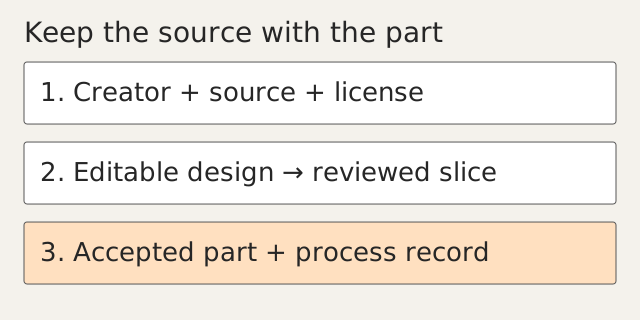
Keep the source with the part
Save a compact project folder: source link, downloaded model, license record, native edits, slicer project and an accepted-result photo. That gives a future replacement a much better starting point than an anonymous STL in Downloads.
Use the software guide when the next step is editing and the open-source map when you need the surrounding hardware and software too. A model becomes much more useful when it arrives with enough context to change it intelligently.
Sources
- undefined — Prusa Research. Reviewed 15 September 2026.
- Zack Freedman model portfolio — Zack Freedman. Reviewed 15 September 2026.
- NIH 3D — NIH. Reviewed 15 September 2026.
- Voron 2.4 — Voron Design. Reviewed 15 September 2026.
- OpenFlexure Microscope - The OpenFlexure Project — OpenFlexure project. Reviewed 15 September 2026.
- Creative Commons — Creative Commons. Reviewed 15 September 2026.